Guide
Create product videos from the photos you already have
A product video can focus on the object itself or use a presenter to explain it. AdHalo offers product-motion videos and UGC-style actor clips alongside image ads. Choose the workflow around the message you want the viewer to understand.
No account needed. Your ad is watermarked until you sign up.
Examples
See the product inside the video




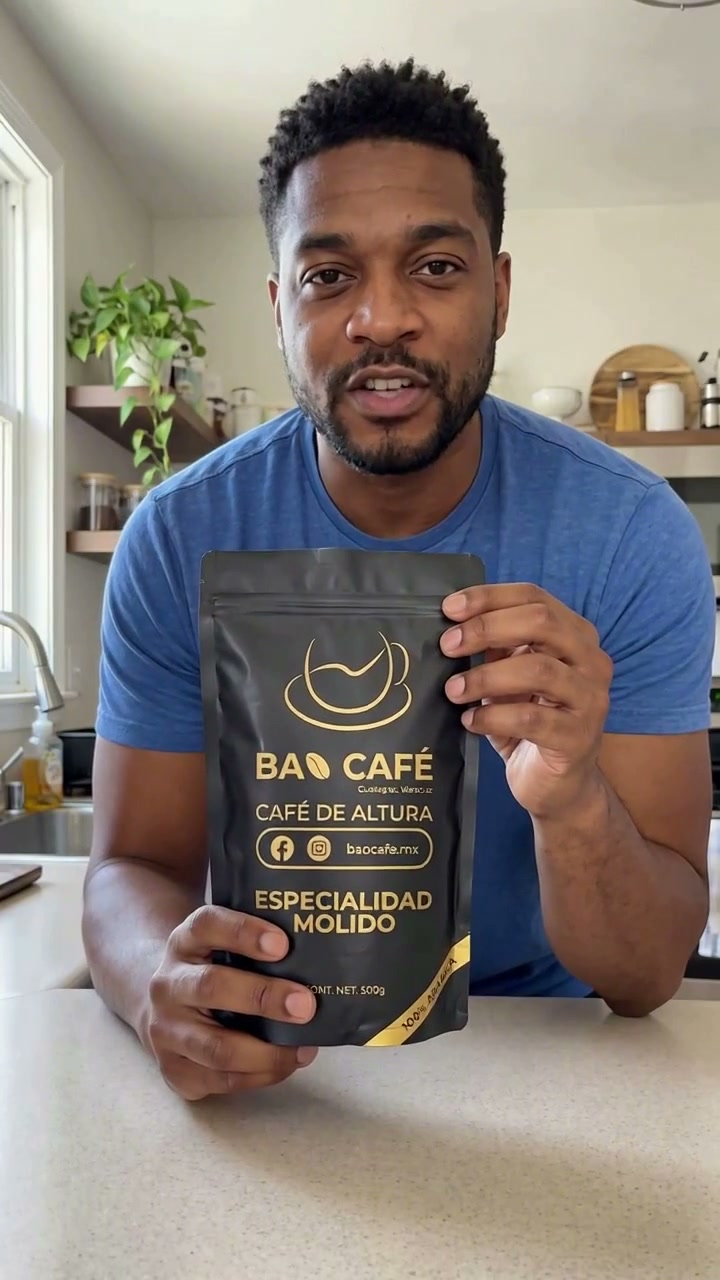
Product motion or a speaking presenter?
Use the product-motion workflow when the creative should center on the product and scene. Choose an actor clip when a spoken hook and visible demonstration fit the message. Actor clips use native generated speech and currently have a 12-second maximum; other video settings do not extend that limit.
Prepare a usable reference photo
Use the original image where possible, with the product fully visible and no competing variants. A crisp front-facing package photo is easier to compare than a tiny store thumbnail. For a set, show the quantity you actually sell. Avoid references that hide important labels or product features.
Keep visual and spoken claims aligned
For a presenter clip, the actor and product images establish a shared opening scene before it is animated. Write about the exact product in that reference. A model may follow the broad appearance while changing fine detail, so do not treat the prompt as proof of fidelity.
Review the file, not just the preview thumbnail
Play the whole output with sound. Check the beginning, middle and ending for product visibility, package wording, hand placement and script completion. Download only after that review. The examples below are genuine outputs, not a promise that every first attempt will match them.
Common questions
Does the model receive my product image?
Yes. For actor videos, the scene model receives both the product photo and presenter portrait as images. The video model receives the resulting product-in-hand scene. Missing references stop generation.
Does AdHalo guarantee ad performance?
No. These tools generate creative assets, not guaranteed sales or return on ad spend. Test approved outputs in your own campaign and compare results.